
TL;DR: An AI customer support agent for Shopify automates repetitive support tasks like order tracking, returns, and FAQs using your store data and knowledge base. You can set it up without coding by connecting your store, training it on your policies, and deploying it across support channels.
If you run a Shopify store, your support inbox is probably full of questions like “Where is my order?” or “Can I return this item?”
Each one is simple to answer, but responding still means opening Shopify, hunting for details, and repeating the same steps again and again.
As order volume grows, these routine requests quietly eat into your team’s time and slow down response speed.
This is where an AI customer support agent for Shopify makes a real difference. Using your store’s data to answer common questions automatically, it helps you scale support without adding more manual work.
In this guide, you’ll learn exactly what a Shopify AI support agent is, how it works with your store, and how to set one up without writing code.
What is an AI customer support agent for Shopify?
An AI customer support agent for Shopify is an automated, intelligent system that handles customer interactions for your online store without needing constant human involvement.
It uses technologies like natural language processing (NLP), machine learning, and integrations with your store data to understand, respond, and act on customer queries in real time.
Unlike traditional AI chatbots that follow rigid, pre-written scripts, these AI customer support agents sync directly with your Shopify store’s backend to access:
- Order history
- Tracking numbers
- Inventory levels
The AI customer support agent for Shopify works as a support assistant that answers questions, retrieves order data, and performs actions automatically.
This keeps your Shopify store responsive 24/7, providing accurate, data-driven answers tailored to each shopper’s journey.
What to look for in a Shopify AI support agent
Not all AI tools are created equal. To successfully automate a Shopify storefront, your AI agent must move beyond basic scripts and offer deep technical capabilities.
Look for these essential features:
- Natural Language Understanding (NLU): The AI support agent for Shopify has to understand context, intent, and customer sentiment rather than just matching keywords. This ensures it can handle complex phrasing and provide human-like interactions.
- Linked to your Shopify store in real time: A specialized AI agent must be connected to your Shopify store so it can use live order and inventory information to answer customer questions accurately. This allows it to handle order-related requests like “Where is my order?” while escalating unusual cases to a human agent.
- Consistent support across every customer channel: Your customers reach out wherever it’s convenient for them; website chat, email, WhatsApp, Instagram DMs, or social media. A reliable Shopify AI support agent delivers the same accurate answers across all channels, so customers don’t repeat themselves and your brand experience stays consistent everywhere.
- Automation workflows that reduce workload: Responding to messages is only half the job. A useful AI support agent automates real actions such as routing VIP customers, tagging urgent tickets, triggering workflows, or confidently escalating when issues exceed defined rules. This is how you actually reduce ticket volume and response time.
- No‑code setup and customization: If deploying or updating your AI support agent for Shopify requires an engineer, it slows your business down. A modern Shopify AI support solution should be fully no‑code, allowing you to connect your store, train it on your policies, adjust behavior, and iterate quickly as products, shipping rules, or return policies change.
- Agent assist for your human support team: A Shopify AI support solution shouldn’t only handle customer conversations; it should also assist your human agents. Look for features like “smart summaries” (to catch up on long threads) and suggested replies based on your knowledge base.
- Clear performance analytics and visibility: You cannot manage what you cannot measure. Ensure the platform provides detailed reporting and analytics dashboards for deflection rates, resolution times, and CSAT scores.
Common use cases for AI customer support agents in Shopify
AI customer support agents for Shopify are most effective when applied to high‑intent moments in the customer journey.
The use cases below show how Shopify AI customer support goes beyond ecommerce chatbots to deliver fast, accurate, and scalable service.
Order tracking and status updates
Order-status questions are often the largest contributors to support ticket volume in Shopify stores.
A Shopify AI customer support agent can:
- Securely collect simple identifiers such as an email address and order number.
- Fetch the latest available order.
- Respond with the current status: processing, fulfilled, shipped, or delivered.
Beyond just reporting status, the AI support agent for Shopify stores can explain what happens next, share delivery timelines, and recommend actions if an order is delayed, reducing follow‑up messages and customer anxiety.

Case scenario
Customer: “Where is my order? I placed it last week and haven’t received it yet.”
Shopify AI agent response: “Your order #48392 was shipped on March 12 and is expected to arrive by March 16. If it doesn’t arrive, I can help you investigate or start a replacement.”
Return and refund handling
Returns and refunds involve clear policies but often create confusion for customers.
AI customer service agents for Shopify are able to:
- Instantly explain return eligibility windows and product conditions based on your store’s policy
- Refund timelines in plain language
They provide step‑by‑step return instructions and required documentation if needed, while automatically routing edge cases, such as missing packages or incorrect orders, to human agents.
This ensures exceptions receive personal attention without slowing down routine requests.
Product recommendations and FAQs
Pre‑purchase questions are support conversations that directly influence revenue. AI customer support agents for Shopify can be configured to answer common questions about sizing or usage by referencing your product pages, collections, and FAQ software.
When details are unclear, it can ask clarifying questions and suggest suitable options or alternatives based on shopper preferences, or route to a live agent for high-stakes cases, so customers get help without waiting in a queue.
Cart abandonment assistance
Many abandoned carts aren’t caused by lack of interest; they’re caused by unanswered questions.
When shoppers ask questions like “Do you ship to my country?”, fast and accurate responses can remove hesitation at the critical moment.
AI support agents for Shopify handle these time‑sensitive questions instantly, reducing drop‑off and improving conversion.
Handling repetitive, policy‑driven queries
AI support agents for Shopify work best on requests with predictable workflows and clear rules.
This includes, but is not limited to:
- Address changes
- Order cancellations within the allowed windows
- Subscription updates
- Basic account issues
- Similar policy‑based requests
By automating these repetitive interactions, AI customer support agents for Shopify keep response times consistently low, reduce agent workload, and maintain uniform policy enforcement across every customer interaction.
Case scenario
Customer question: “Can I change the delivery address for my order?”
Shopify AI agent response: “I can help with that. Your order is still within the address‑change window. Please confirm the new delivery address, and I’ll update it for you right away. If the order has already shipped, I’ll connect you with a support specialist to review next steps.”
Why Shopify stores need an AI agent for customer support
Customer expectations have shifted dramatically. Around 90% of customers say that getting a response right away is critical, and most define right away as within the first hour of reaching out.
For Shopify merchants, manual support often becomes a bottleneck during growth.
Implementing an AI agent for Shopify customer support allows you to manage these pressures effectively through four key areas:
- Automate high-volume queries: Most Shopify inquiries are repetitive, focusing on order status, shipping timelines, and return policies. By integrating directly with Shopify, the AI agent can access order and shipping details in real time and provide instant answers, escalating to a human agent only when exceptions arise.
- Provide 24/7 instant responses: Ecommerce operates globally, but human support teams cannot be online 24/7 without significant expense. Shopify AI agents provide immediate, accurate answers regardless of the time zone or holiday schedule.
- Lower operational costs: The cost per resolution drops significantly when the Shopify AI agent for customer service handles the first line of defense. By resolving issues on the first contact, you improve your customer satisfaction scores while simultaneously reducing the financial burden on your support department.
- Scale without increasing headcount: During peak sales periods such as Black Friday or regional shopping festivals, ticket volumes can triple overnight. An AI customer service agent for Shopify scales effortlessly, handling thousands of concurrent conversations. This allows you to manage ticket surges without the need for emergency hiring or seasonal training.
How to set up BoldDesk for your Shopify store: Step by step
Configuring and installing Shopify to BoldDesk lets your agents see customer and order details while working on tickets, so they can resolve “Where’s my order?” and refund or cancel requests faster, without bouncing between tools.
Before you start, confirm if you have the following:
- Admin access to BoldDesk
- Admin access to your Shopify store
- Access to the Shopify Dev Dashboard (this setup uses a Shopify custom app)
Step 1: Create a custom app in Shopify Dev Dashboard
Sign in to the Shopify Dev Dashboard, then go to Build apps and click Create custom app.
Choose Start from Dev Dashboard, enter an app name, and create the app.

Step 2: Set the distribution method and install the app
From the app’s Home tab:
- Select Custom distribution
- Enter your Shopify store domain
- Generate the installation link
Open the generated link in a new browser tab, select your Shopify store, and install the app. Confirm the installation when prompted.

Step 3: Copy your app credentials
In the Shopify Dev Dashboard:
- Open your custom app
- Go to Settings → Credentials
- Copy the Client ID and Client Secret
You’ll need these details to connect Shopify with BoldDesk.

Step 4: Install Shopify in BoldDesk
Log in to BoldDesk, then navigate to Admin → Marketplace.
Search for Shopify and click Install.

Step 5: Enter your store details
In BoldDesk, enter:
- Your Shopify store domain (for example, yourstore.myshopify.com)
- The Client ID
- The Client Secret
Click Save to complete the connection. Shopify customer and order data will now appear inside BoldDesk tickets.

Step 6: Add more stores (Optional)
If you manage multiple Shopify stores, you can connect them all as indicated below.
Go to My Apps → Shopify → Add Store and repeat the same setup process for each additional store.

Note: Once setup is complete, run a quick test ticket to confirm data sync, train your agents on the new workflow, and keep monitoring resolution speed. This ensures the Shopify and BoldDesk integration delivers real customer support value right away.
What BoldDesk connects to (for Shopify workflows)
A key advantage of BoldDesk is that it acts as a central support layer, not just a standalone tool.
For Shopify stores, this means:
- Shopify integration: Full visibility into orders, customers, and fulfillment inside tickets.
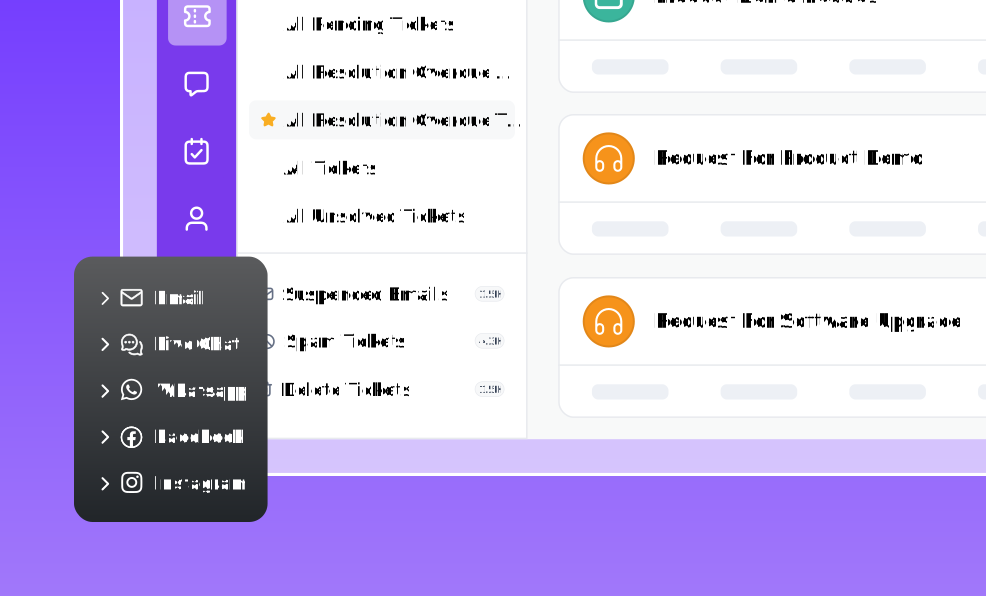
- Omnichannel support: Manage chat, email, and other channels in one place.
- Automation workflows: Route, tag, and prioritize Shopify-related tickets.
- AI-powered assistance: Automate repetitive queries and assist agents.
- Unified context: When tickets escalate, your team has complete customer and order history.
You don’t need to replace your existing processes. BoldDesk enhances them by bringing everything into a single, structured support system.
Best practices for creating an AI customer support agent for Shopify
Creating an AI-driven customer support agent for Shopify doesn’t require building custom models or hiring an AI team.
The best part is you don’t need to write a single line of code. Modern AI Shopify support agents are designed to be plug-and-play, so setup is simple even for non‑technical teams.
Here’s how to do it effectively.
Define your customer support goals
Before automating, decide what your AI should handle and when humans should step in. Clear boundaries prevent over‑automation and improve customer trust.
Focus on:
- Questions that consume the most support time
- Requests with clear rules or policies
- Moments where customers wait too long for answers
Most stores begin with high‑volume, low‑risk tasks like order tracking, where the Shopify AI support agent delivers immediate impact and escalates smoothly when needed.
Choose an AI platform built for Shopify
Generic AI tools struggle with real ecommerce workflows. You need an AI customer support agent for Shopify, one that understands orders, shipping updates, returns, and customer data in real time.
A no‑code, Shopify‑native platform like BoldDesk lets you launch faster, update instantly, and keep your AI aligned with changing products and policies, without relying on engineers.
Connect your store data and knowledge base
AI support agents for Shopify are only as good as the information they can access.
Connect your Shopify store, knowledge base, FAQs, product pages, and policies so the AI Shopify support agent can respond accurately and consistently.
These integrations enable the AI customer support agent for Shopify to:
- Pull real‑time order status
- Reference your return and refund policies
- Answer product and sizing questions
- Keep responses aligned with your brand rules
Train your Shopify AI support agent
Training is where your AI-powered Shopify support starts to feel natural and genuinely useful.
This can be achieved by:
- Training with real support tickets so the AI support agent for Shopify learns common customer phrasing, recurring issues, and your brand’s tone.
- Review and fine‑tune customer responses early by correcting mistakes during the initial rollout. Small changes make a big difference.
- Learn from gaps and escalations by feeding missed questions and hand‑offs back into training.
Effective training ensures your Shopify AI customer support agent engages naturally, not just responds mechanically.
Deploy across customer touchpoints
Customers don’t just reach out through one channel. Deploy your Shopify AI customer support agent on ecommerce live chat, email, and social messaging platforms like WhatsApp, where your customers are most active.
Consistent support across channels reduces repeat contacts and ensures customers don’t have to start over each time.
Monitor, learn, and improve
Once live, track how the Shopify AI agent for customer support performs.
Look at resolution rates, customer satisfaction, escalation frequency, and unanswered questions.
These insights show where the AI Shopify customer support agent is succeeding, and where it needs better data or tighter rules.
Build a high‑impact AI customer support agent for Shopify
High ticket volumes don’t have to overwhelm your Shopify store. With the right AI foundation, you can resolve issues faster, lower support costs, and deliver a smoother customer experience across the entire buyer journey.
Crucially, achieving this does not require custom development or engineering effort; modern Shopify AI support agents can be implemented using no‑code tools designed for operational teams.
However, turning strategy into consistent day‑to‑day execution still requires an AI‑driven help desk like BoldDesk with deep expertise in ecommerce and Shopify workflows.
If you’re ready to put these ideas into practice, start a free trial with BoldDesk to test your workflows in a real Shopify support environment, or book a live demo to see how BoldDesk can fit your team’s process.
Related articles
- Best Ecommerce Help Desk Software in 2026
- Best Ecommerce Tools to Boost Sales in 2026
- 9 Top Ecommerce Customer Service Tips for 2026
Frequently Asked Questions
Yes, if you configure it correctly. A well-implemented AI customer support agent for Shopify should operate within strict guardrails.
For sensitive actions like refunds, you should always use approval workflows or route the request to a human agent. This ensures automation without compromising customer trust or data security.
AI support doesn’t have to be expensive for small Shopify stores. Many modern tools offer flexible pricing and scalable features, allowing you to start small and pay only for what you use.
By handling repetitive queries and improving response efficiency, the AI support agent for Shopify often lowers support costs over time rather than adding to them.
With a platform like BoldDesk, basic integration and knowledge base setup can be completed in a few days. Refining the Shopify AI agent for peak accuracy usually takes 2–4 weeks of active monitoring.
Chatbase can be used with Shopify stores on any plan, as long as you can install the Chatbase widget on your storefront and connect the data sources you want the agent to use.
Some Shopify or API capabilities may depend on your Shopify plan and the specific integration method you choose.
Yes. When connected to your Shopify store, the AI agent can access real-time order information, such as order status and fulfillment updates, to accurately respond to “Where is my order?” questions.
This requires an active Shopify integration with the appropriate permissions enabled.
Yes. BoldDesk supports GDPR compliance and provides features and controls designed to help customers meet GDPR requirements.