



AI actions for customer support
AI Actions That Don’t Just Answer, They Resolve
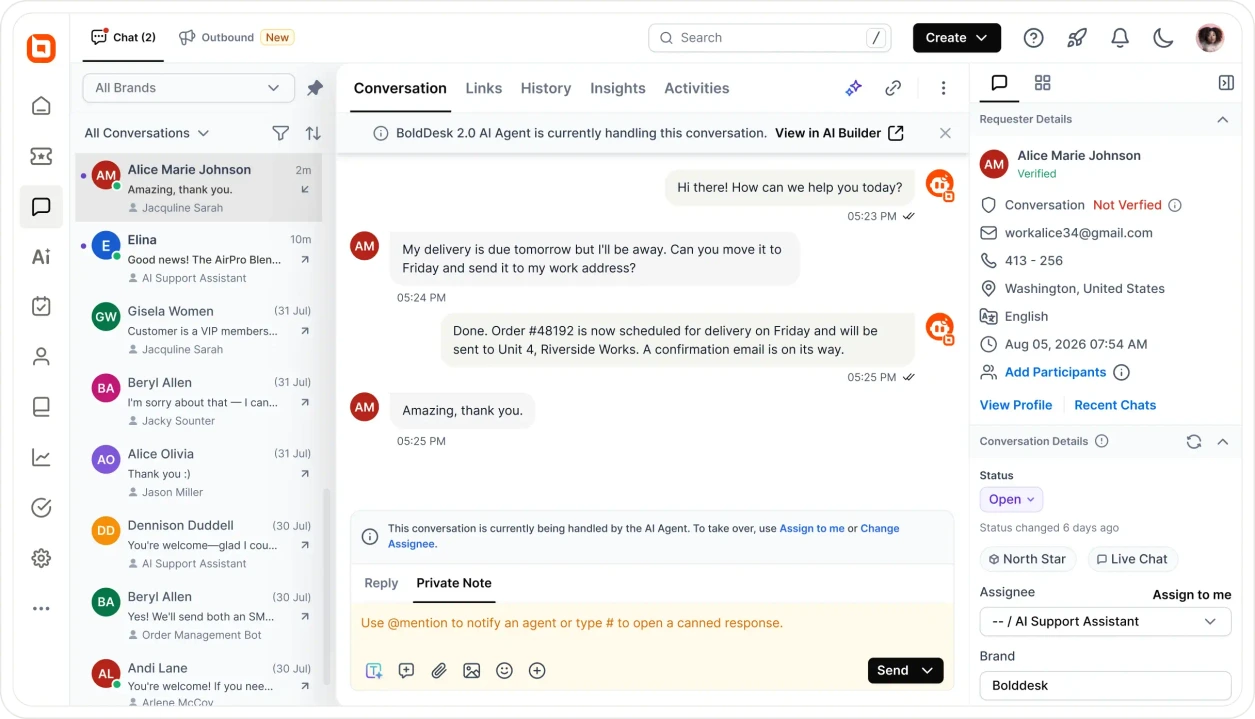
Answering questions isn't enough. Your customers want action — checking order status, rescheduling deliveries, updating addresses. The BoldDesk AI Agent bridges that gap, calling your own systems through API actions and MCP servers.
-
No credit card required
-
15-day trial
-
Cancel anytime
Trusted by Companies of all Sizes



Backed by Syncfusion
41K+
Companies worldwide
25+
Years in business
80%
of the Fortune 500 use Syncfusion software
3M+
Tickets Migrated
Free
Migration & Onboarding
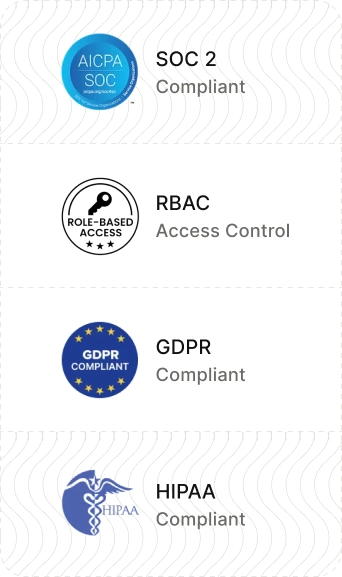
SOC 2, GDPR & HIPAA
Compliant
99.9%
Uptime SLA
Capabilities
What Changes Once Your Agent Can Act
Four things AI actions add to an agent that could previously only reply.
Real-time data & record updates
Resolve Order, Billing and Account Requests Without a Human Touch
Give the agent the endpoints it needs and the requests that used to become tickets get closed in the conversation: order and delivery lookups, refunds, address changes, subscription and plan updates, password resets, access requests and record edits.
-
Live data retrieval from any REST API
-
Write-back updates to customer records
-
Multi-step actions in a single conversation
-
Works on every channel your agent runs on


MCP Tools
Connect an Entire System With One MCP Server
Instead of wiring endpoints one at a time, register a Model Context Protocol server once. Enter a name, a description, the server URL and an auth type — add custom HTTP headers if it needs them — and every tool that server exposes becomes available to your AI Agent.
-
Works with any MCP-compatible server, including your own
-
New tools on the server appear without reconfiguration
-
One place to review and revoke access
Scoped authentication
Authenticate Once, and Never Expose a Credential in a Conversation
Administrators configure authentication up front when the connection or server is created. The AI Agent calls the tool; it never sees, stores or repeats a key. Every call is scoped to what you granted, and every call is logged.
-
Auth configured by admins, never surfaced to the agent
-
Custom HTTP headers for gateways and tenant routing
-
Audit trail on every action for traceability


Playground & guardrails
Test Every Action in the Playground Before a Customer Triggers it
Run real prompts against your agent and watch which tool it selects and what comes back. Decide which actions run autonomously and which require human approval first, then publish when you're satisfied.
-
Dry-run prompts without touching a live conversation
-
Approval-required or fully autonomous, per action
-
Graceful handoff to a human when an action can't complete
-
No credit card required
Choose your approach
API actions vs. MCP tools: Which Should You Use?
Short answer: an API action for one tightly scoped task, an MCP server when you want the agent to reach many actions across a whole system.
API Actions
MCP tools
Best for
One specific, tightly scoped task
Many actions across an entire system
What you configure
Endpoint, method, parameters, authentication
One server URL, auth type, optional HTTP headers
Effort per new action
Add each endpoint individually
Every tool the server exposes becomes available at once
Use it when
You have a REST endpoint ready to call
You have an MCP server — yours or a vendor's
Example
“Look up order status by order ID”
“Do anything our CRM's MCP server supports”
Where in BoldDesk
AI Tools → API Actions → Link API Connection
AI Tools → MCP Tools → Create MCP server
Most teams start with one API action to prove the pattern, then move to MCP once they’re connecting a whole system.
MCP
How BoldDesk MCP Works
AI actions run in both directions. Your agent reaches out to your systems — and the BoldDesk MCP Server makes BoldDesk itself available to any MCP-compatible AI tool your team already uses.
Connect Securely
Add the BoldDesk MCP server to your AI tool and authorise it. Access stays inside BoldDesk's permission model — the assistant can only do what the connected user can already do.


Ask AI to Act
Ask your assistant to do the work in plain language — create a ticket, reply to a customer, pull a conversation history, find a contact — directly from the chat.
Get Instant Results
The action executes in BoldDesk and comes back confirmed, with a full audit record on the ticket so your team can see exactly what was done.
Connect
Get Started With Your Favourite AI Tool
The BoldDesk MCP Server works with any assistant that supports the Model Context Protocol.
-
Create, update and manage support tickets
-
Retrieve ticket details and conversation history
-
Handle approval workflows
-
Reply to ticket conversations
-
Search contacts, groups and agents
-
Access real-time support information

Watch an AI Action Resolve a Real Support Case
Not a scripted product tour. Every video in the library is one real support scenario, start to finish — the customer's question, the agent's reasoning, the action it calls, and where it hands over.
Security & Compliance
Enterprise-Grade Security and Compliance
Protect customer data with secure infrastructure, compliance-ready controls, and enterprise-grade access management.
-
SOC 2 & GDPR compliant
-
AES-256 encrypted infrastructure
-
SSO and IP restrictions
-
Role-based access control and audit logs
-
HIPAA-ready workflows
-
Secure cloud architecture

The rest of the AI platform
Discover How BoldDesk AI Transforms Customer Service
AI actions are one piece of BoldDesk AI. Here's what works alongside them — all on the same flat published rates.
Omnichannel AI Agent
Resolve customer conversations across chat, email, messaging, and voice.
Ticket AI Agent
Analyze tickets in the background, share context with AI agents, and automate tasks or resolve tickets.
AI Copilot
Interact with AI to generate answers, write, summarize, translate, and respond faster.
Skills
Create reusable instructions and actions that AI agents apply consistently to complete tasks
Soon
Frequently Asked Questions
The Model Context Protocol (MCP) is an open standard that lets AI tools securely understand and act on data from software platforms. It replaces one-off integrations with a single connection an assistant can discover tools through.
An API action connects one endpoint for one tightly scoped task. An MCP tool connects a whole system through one server, making every tool it exposes available at once.
AI actions and the MCP server are available with the BoldDesk AI Agent add-on on every BoldDesk plan. Additional AI credits cost $20 per 1,000 credits. An administrator can enable these features under Configuration → AI Tools.
Add an MCP server under AI Tools → MCP Tools with its URL and auth type, then attach the tools to your AI Agent. To use BoldDesk from your own assistant, follow the setup steps in the MCP server documentation.
Any AI tool that supports the protocol, including Claude, ChatGPT, Microsoft Copilot and GitHub Copilot. Compatibility depends on the assistant's own implementation, so check with your AI provider to confirm MCP support.
Yes. It operates entirely within BoldDesk's permission model — an assistant can only perform actions the connected user is already allowed to perform, just as in the UI. Because MCP lets AI tools act on your behalf, scope that access carefully, monitor activity, and keep approval gates on anything irreversible.
No — linking an API connection and adding an MCP server are form-based tasks in the admin UI. You will want someone who knows your API to confirm the endpoint and auth details.
AI actions consume AI credits at BoldDesk's flat published rate of $20 per 1,000 credits — never a per-resolution fee. View BoldDesk pricing. You may also incur costs from the AI tool you use to run MCP actions.
Visit the BoldDesk MCP server documentation for the full tool list, authentication details and client setup guides.
Starter
Growth
Pro
Enterprise
 Just BoldDesk.
 Just BoldDesk.
Stop Answering. Start Resolving.
Connect one API action or one MCP server today and let your AI agent close the requests it currently hands to a human. If it's not right, you get 100% back within 30 days.
-
No Feature Paywalls

-
No Per-Resolution Fees
-
Free Migration
-
15-Day Free Trial
-
Cancel Anytime
-
No Feature Paywalls
-
No per-resolution fees
-
Free Migration
-
15-Day Free Trial
-
Cancel Anytime