


TL;DR: Multilingual AI customer support uses AI agents to understand customers and reply in their own language. For best results, use a hybrid setup, roll out language by language, and track quality for each language. In the EU, AI agents must also disclose they are AI.
New markets bring new languages, customer expectations, and support challenges. Traditionally, businesses built regional teams with native speakers. This works, but costs rise as you add more languages.
Multilingual AI customer support offers a more scalable alternative. Modern AI agents can understand and reply in a customer’s preferred language, depending on the platform.
For global organizations, the challenge is how to do this without a big rise in headcount and costs. For broader, non-AI strategies, explore our guide to multilingual customer support.
This article explains how multilingual AI support works, where it falls short, and how to roll it out language by language.
What is multilingual AI customer support?
Multilingual AI customer support uses AI to understand and answer customer requests in different languages. It helps businesses support global customers without separate teams for every language.
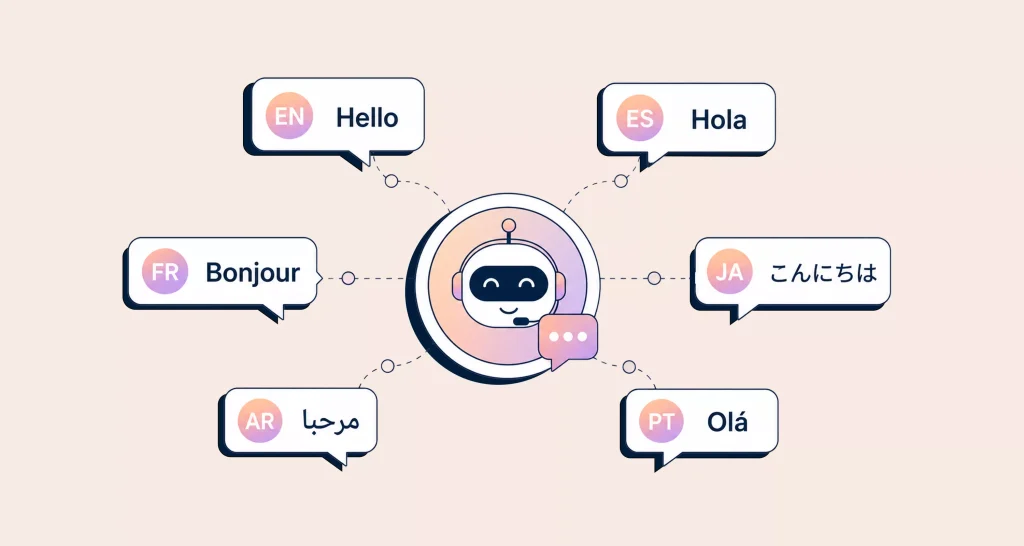
A multilingual AI agent identifies what the customer needs and replies naturally in the customer’s preferred language.
For a broader overview of what AI agents do in customer support, explore BoldDesk’s comprehensive guide to AI agents in customer service.
Why multilingual AI support matters more in 2026
Three shifts have turned multilingual AI customer support from a nice-to-have into a core support decision.
Customers switch brands over language
Language can shape how comfortable customers feel asking questions, explaining problems, and understanding solutions.
Providing support in a customer’s preferred language can make communication clearer and create a more consistent experience across global markets.
Language is now a legal requirement in some markets, not a courtesy
Québec’s Bill 96 requires businesses to serve clients in French, explicitly including customer support and call centers, for both B2C and B2B relationships (Miller Thomson). It applies to any business selling into Québec, even without a local office (Osler).
AI transparency rules took effect this year
Article 50 of the EU AI Act applies from 2 August 2026. AI systems that interact directly with people, including chatbots and AI agents, must tell users they are interacting with AI (European Commission).
Fines can reach EUR 15 million or 3% of worldwide turnover (Stibbe). A disclosure written only in English does little for a customer chatting in Polish.
The cost argument for AI over regional hiring is well covered in our AI customer service business case. The rest of this guide focuses on getting the language part right.
How multilingual AI customer support works
Every multilingual AI conversation runs through the same six steps, whichever vendor you use. Knowing them tells you where quality breaks and what to test.
- Detect the language. The AI identifies the customer’s language from their message. For short or ambiguous inputs like “hi,” “ok,” or an order number, it can use profile or browser language as a fallback.
- Understand the intent. The model works out what the customer needs: a refund, a password reset, a delivery date, regardless of wording or spelling.
- Retrieve the right knowledge. The AI pulls answers from your help articles, past tickets, and policies. Language problems can start here. If your knowledge base software exists only in English, every response may depend on translation.
- Generate the reply in the customer’s language, in your brand tone, with product names and legal terms left untouched.
- Check before sending. Confidence thresholds, blocked topics, and glossary rules catch risky replies.
- Hand off with context. If the AI cannot resolve the issue, it sends the full thread, translation, and summary to a human. The customer does not need to repeat the issue.
Translation layer vs. native generation vs. hybrid
The biggest architecture choice sits in steps 3 and 4. Vendors rarely spell it out, so ask directly.
| Approach | How it works | Strength | Weak spot | Best for |
| Translation layer | Translates the customer’s message into English, generates an English response, then translates it back | Predictable; one English knowledge base to maintain | Two translation passes lose tone and idioms; slower | Low-volume languages, agent-assist translation |
| Native generation | Understands the source content and replies directly in the customer’s language | Natural, fluent replies; handles mixed-language messages | Can drift on terminology; quality varies by language | High-volume, high-resource languages (Spanish, French, German) |
| Hybrid | Uses native generation for key languages, supported by localized content, glossaries, and human review where needed | Best balance of fluency and control | More setup: glossaries, per-language testing | Most B2B and B2C support teams |
A practical test: send the same refund question in your top five languages and compare the answers side by side. If the policy detail (a 30-day window, a restocking fee) changes between languages, the system is rewriting your policies too loosely.
Code-switching: the test most tools fail
Real customers mix languages. A Nairobi customer may write “Nimejaribu ku-reset password lakini haifanyi kazi,” Swahili with an English verb in the middle. “Spanglish” and Hinglish work the same way.
Ask vendors to demo mixed-language messages, not clean textbook sentences.
What this looks like end to end
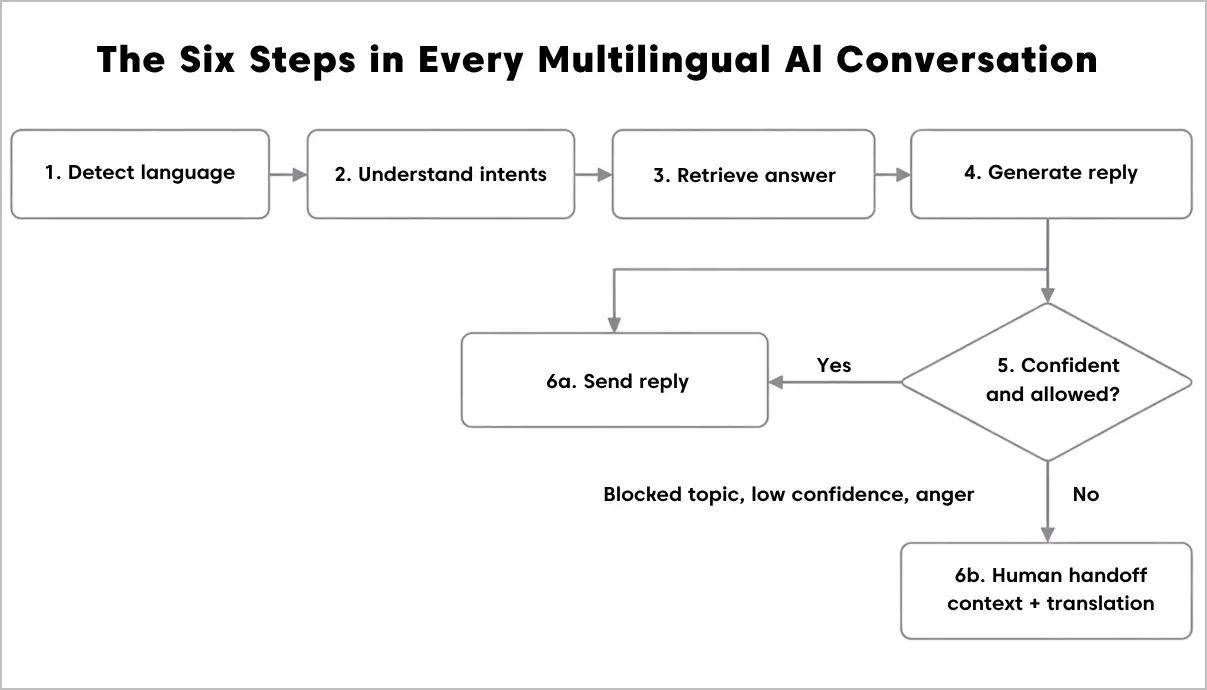
Steps 1 to 4 run for every message. Step 5 decides whether the reply goes to the customer or a human agent. The agent receives the full thread, translation, and summary.
Where the multilingual AI agent fits across support channels
Language behaves differently on each channel, so the AI setup should too.
| Channel | What the AI does | Language-specific watch-out |
| Live chat | AI agent answers instantly in the detected language | Short, informal messages make detection harder; set a fallback language |
| Email and tickets | AI drafts replies or resolves routine tickets; agents see a translation | Long threads may switch language midway; the reply should follow the customer’s latest message |
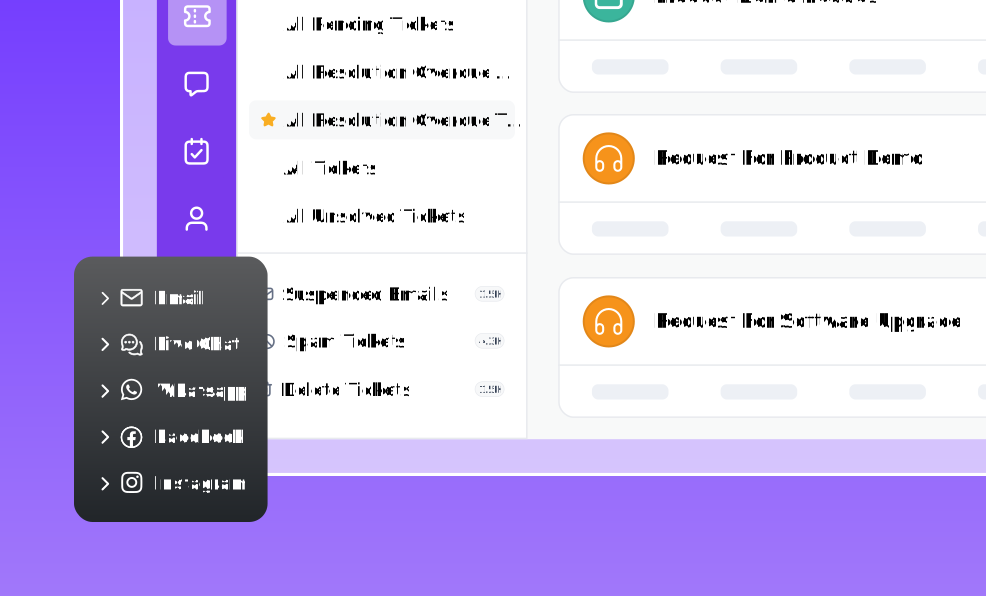
| WhatsApp, SMS, social | Same AI agent across messaging channels via an omnichannel inbox | Slang, emoji, and transliterated scripts (Hindi in Latin letters, for example) |
| Self-service portal | AI search and answers grounded in localized articles | A missing translation shows up as a stale or English-only answer |
| Agent assist | AI Copilot translates incoming messages, and drafts replies for human agents | Agents must still review tone before sending on sensitive cases |
Two models: AI-first and human-first
Most teams run both at once.
- In an AI-first model, the AI agent resolves the conversation end to end in the customer’s language and escalates only what it cannot handle.
- In a human-first model, an English-speaking agent handles a Japanese ticket with AI translating in both directions. Human-first is how you cover a new market on day one, before you trust autonomous replies in that language.
Our guide to improving agent productivity with AI covers the agent-assist side in more depth.
Where multilingual AI customer support still falls short
A vendor claiming “100+ languages” is telling you what the model accepts, not how well it performs. Plan around these five limits.
1. Quality is uneven across languages
Large language models learn mostly from English data, and it shows.
The MMLU-ProX benchmark asks identical questions in 29 languages. It found performance gaps of up to 24.3% between high- and low-resource languages. Low-resource languages have much less AI training data (MMLU-ProX).
A 2025 AAAI study created benchmarks for eight African languages, including Amharic, Igbo, and Shona. It found previously unmeasured performance gaps compared with English (Alhanai et al., AAAI 2025).
For support, that means Spanish replies may be ready for autonomy, while Amharic replies need a human check.
2. Fluent is not the same as correct
Native generation produces confident, natural text. That makes errors harder to spot, especially for a reviewer who does not speak the language. Refund windows, pricing, and warranty terms are the details most likely to drift.
3. Culture and formality
German and French customers often expect formal address; many Swahili and Spanish conversations do not. Japanese support has its own politeness levels. Set tone rules per language rather than one global “friendly” setting.
4. Terminology and brand names
Without a glossary, AI may translate your product names, feature labels, or legal terms. “Knowledge base” becoming three different phrases across three articles can confuse customers and search engines alike.
5. Compliance lives in every language
The EU AI Act’s disclosure rule, Québec’s French-service rule, and privacy notices all apply in the language the customer actually uses. For regulated industries, see our guide to AI customer service in healthcare for how safe-use rules layer on top.
The fix for all five is the same: decide how much autonomy the AI gets for each language. The rollout plan below shows how.
How to roll out multilingual AI support, language by language
Launching every language at once hides problems in a combined average. This seven-step plan launches in tiers so each language earns its autonomy.
- Audit ticket volume by language. Pull 90 days of tickets and chats and tag them by language. Most teams find three to five languages cover 80% or more of non-English volume.
- Tier your languages. Sort each language by volume and by how reliably AI handles it (use the table below).
- Build the knowledge layer first. Localize your top 20 help articles for Tier 1 languages in your multilingual knowledge base. The AI can generate from English sources, but localized articles keep policy details accurate.
- Lock a glossary. List product names, plan names, and legal terms that must never be translated, plus approved translations for key terms.
- Pilot on one channel. Start with AI-first live chat in one Tier 1 language. For two weeks, have a native speaker review 20 to 30 conversations each day.
- Set per-language escalation rules. Route low-confidence replies, angry sentiment, and regulated topics to humans. Write the AI disclosure and the handoff message natively in each language.
- Expand tier by tier. Move a language up only when its metrics match your English baseline for four straight weeks.
| Tier | Profile | AI autonomy | Examples (varies by business) |
| Tier 1 | High volume, high-resource language | AI-first, sample-based review | Spanish, French, German, Portuguese |
| Tier 2 | Medium volume or medium-resource | AI drafts, human approves, or AI-first on simple intents only | Polish, Turkish, Swahili, Vietnamese |
| Tier 3 | Low volume or low-resource | Human-first with AI translation for agents | Amharic, Tagalog, regional dialects |
Metrics to track per language
The mistake most teams make is reporting one global CSAT. A 90% blended score can hide a 60% score in your fastest-growing market. Break every metric out by language using your reports and analytics.
Below are the metrics to track per language:
| Metric | What it tells you | Warning sign |
| Language parity gap | CSAT or resolution rate in a language minus your English baseline | Gap wider than 5 points |
| AI resolution rate by language | Share of conversations the AI closes without a human | Much lower than in English on the same intents |
| Escalation rate by language | How often the AI hands off | Rising week over week |
| Language mismatch rate | Replies sent in a different language from the customer’s message | Anything above 1% |
| Reopen rate by language | Tickets reopened after an AI answer | Signals confident but wrong answers |
| CSAT by language | Satisfaction measured in the customer’s language | Survey sent in English to non-English customers |
To estimate the hours and cost AI could save across these languages, try the AI ROI calculator.
Make multilingual AI customer support a first-class channel
A multilingual AI agent works when you treat each language as its own channel with its own quality bar.
Pick a hybrid architecture, tier your languages, ground the AI in localized content, and measure parity against English every week. Customers then get the same answer, in their language, at the same speed.
BoldDesk supports multilingual AI customer support with AI Agent responses in 30+ languages, AI Copilot translation, grounded answers, and localized self-service.
Its multilingual knowledge base, customer portal, and Azure OpenAI foundation help teams deliver consistent, secure support across languages.
Ready to try it? Start a free trial to see the AI Agent reply in your customers’ languages.
Related articles
- 12 Best AI Agents for Scalable Customer Support
- A Complete Guide to AI Help Desk for Small Teams (5-40 Agents)
- 12 Best AI Customer Service Software for Support Teams in 2026
FAQs
The AI detects the customer’s language from their message, understands the request, retrieves answers from your knowledge base, and replies in the same language.
If it cannot resolve the issue confidently, it hands the conversation to a human agent with a translation and summary.
Yes. Modern AI agents can handle routine questions in several languages, translate messages, and send complex issues to human agents.
It classifies the language of each new message, not just the first one, and replies in the language of the latest message. For very short messages, well-configured systems fall back to the customer’s profile language or region settings.
Generative AI can offer a better support experience than traditional machine translation. It understands customer intent and can reply naturally in the target language. For most teams, a hybrid approach with glossaries and human review is the safest choice.
Start with the languages that drive the most support volume, revenue, or growth opportunities. Most organizations begin with their top three to five customer languages before expanding further.