







TL;DR: BoldDesk’s October 2026 release makes AI more capable and transparent, with multi-agent collaboration, long-running agents, attachment support, AI in chat workflows, AI agent tab, AI Views, and trace logs. Also new: Teams and Slack AI agents, live chat file sharing, GitHub integration, multiple Twilio accounts, and mobile ticket snoozing.
The role of AI in customer support continues to evolve. What started as assistance with responses is now expanding into workflow execution, coordination, and decision support.
The BoldDesk October 2026 release reflects that shift with new automation capabilities, deeper integrations, and more transparency across the support lifecycle.
Explore the October 2026 product updates designed to help support teams work more efficiently, with clearer visibility and control.
Here’s what’s new:
| Category | Release highlights |
| AI agents |
|
| AI agent channels |
|
| AI automation |
|
| AI visibility |
|
| Live chat |
|
| Integrations |
|
| Omnichannel |
|
| Mobile app |
|
AI agents for more capable support operations
Support requests are rarely one-step tasks. Many involve files, several stages of analysis, or processing that takes more than a few seconds.
These updates expand what AI support agents can handle on their own.
Multi-agent collaboration for complex workflows
Some workflows require more than one AI agent to get the job done. Multi-agent AI collaboration allows a manager agent to coordinate specialized worker agents through agent orchestration.
The manager agent assigns tasks based on each worker agent’s capabilities and combines their outputs, so teams can break complex processes into manageable stages.
Long-running agents for extended AI tasks
Some AI tasks take longer than others, especially those involving complex reasoning or knowledge retrieval.
Long-running agents continue processing in the background and deliver the completed response when it’s ready.
Users can keep working instead of waiting for the request to finish. This capability is available across:
- Response agent
- Background agent
- AI trigger orchestration
- Email AI agent
By handling longer-running tasks in the background, AI can keep workflows moving without interrupting users.
Real-world scenario: Handling a complex support request
Challenge: A customer submits a ticket with screenshots, error logs, and detailed configuration information, but determining the root cause requires additional investigation.
BoldDesk solution: Long-running agents continue analyzing the request in the background while the support agent responds to other tickets and ongoing conversations.
Impact: The support agent stays productive instead of waiting for the analysis to finish and receives the completed results when they are ready.
Attachment support that gives AI agents more context
AI agents can now process inline and external attachments across the response agent, background agent, AI trigger orchestration, and email AI agent.
This means AI agents can read documents, invoices, screenshots, images, and other files directly, so their replies, actions, and insights reflect what the customer actually sent.
With attachment support, teams can:
- Build automated workflows based on information in attachments.
- Reduce the time spent manually reviewing and interpreting files.
- Provide more informed support interactions.
AI agent file and image generation support for richer responses
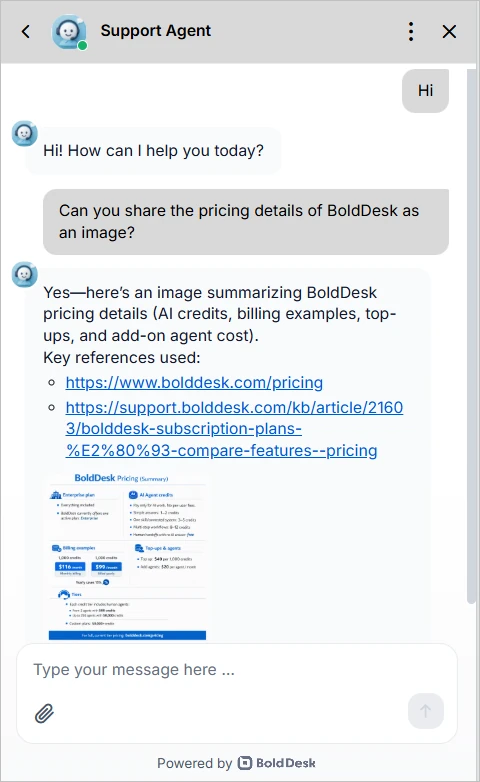
Some answers work better as a file or image than as plain text. AI agents can now create files and images and include them directly in their chat responses.
Supported formats include:
- Files: Markdown (.md), JSON (.json), and text (.txt)
- Images: PNG (.png)
This lets AI agents give customers structured content, documents, or visuals right in the conversation, with no manual work needed.
AI agent channels that meet teams where they work
Many questions and decisions happen outside the help desk. AI agents are now available in the collaboration tools teams already use every day.
Bring AI assistance into Microsoft Teams
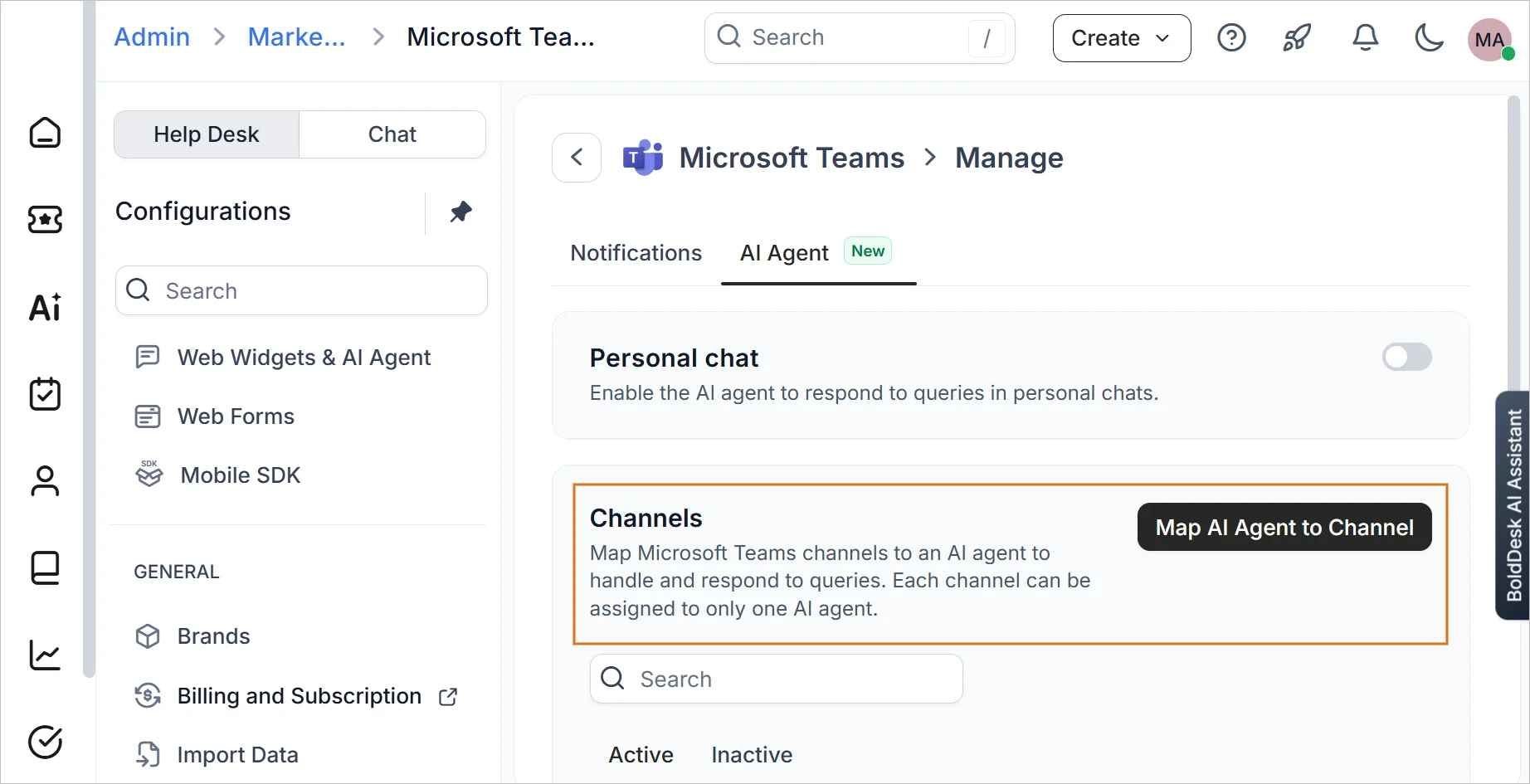
Microsoft Teams is where many organizations communicate and collaborate throughout the day. AI agent for Microsoft Teams brings AI-powered assistance into that workspace, making it easier to access information and take action without leaving Teams.
Key capabilities include:
- Dedicated AI agent: Assign an agent with the knowledge your team needs in Teams.
- Personal chat: Ask the agent questions one-on-one and get relevant answers.
- Channel collaboration: Mention the agent in configured Teams channels to bring answers into the conversation.
- Knowledge access: Pull information from the agent’s configured knowledge sources without leaving Teams.
- Connected actions: Ask in plain language to run workflows, look up information, or complete tasks through configured API actions and MCP tools.
Move from conversation to action with AI agent for Slack
AI agent for Slack brings the same assistance into direct messages and configured Slack channels.
Key capabilities include:
- Dedicated AI agent: Choose which AI agent and which knowledge your team gets in Slack.
- Direct messages: Send the AI agent a direct message and get answers drawn from its knowledge.
- Channel collaboration: Mention the AI agent in a configured Slack channel to get answers without leaving the thread.
- Knowledge access: Pull information from the agent’s configured knowledge sources without searching elsewhere.
- Connected actions: Use natural language to run workflows, find information, and complete tasks with configured API actions and MCP tools.
By bringing AI-powered assistance directly into Slack, teams can spend less time switching tools and more time focused on getting work done.
AI automation for smarter workflow execution
Modern help desk automation workflows often require more than predefined rules and actions.
This update helps teams bring AI into everyday processes.
Add AI decisions to chat workflows with Call AI agent
With Call AI agent using chat workflow, you can add an AI agent step to a workflow. The agent reads the conversation, generates responses, and takes actions according to the instructions you set.
Administrators can:
- Run an AI agent automatically as a step in the workflow.
- Decide what the agent sees, including conversation history, fields, and private messages.
- Write custom instructions that shape how the agent analyzes the conversation and responds.
- Send the agent’s output to field updates, notes, or replies, or save it in temporary fields.
- Pass AI results to later workflow steps to drive automation and routing.
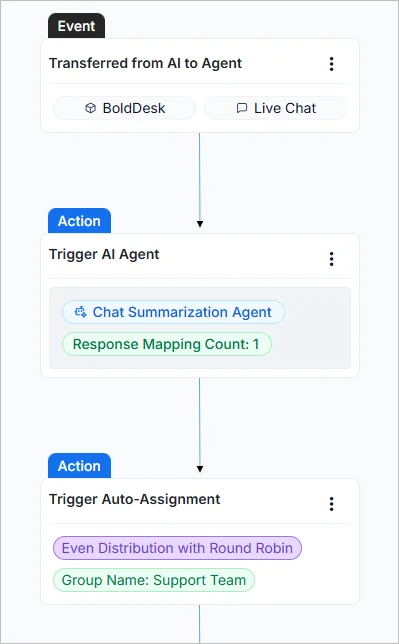
Pro tip: Start by mapping AI output to a note or temporary field. Once you’re confident in the results, map it to field updates and routing steps.
AI visibility for greater transparency and control
Reviewing what AI did on a ticket should take seconds. These updates help teams understand, verify, and review AI activity with confidence.
Monitor AI activity from the AI agent tab
As AI agents handle more ticket activities, teams need a clear way to review AI actions.
The new AI agent tab in ticket details allows support agents to view replies, notes, drafts, and field updates directly from the ticket details page.
You can see contributions from:
- Response agent: Generates replies, notes, and draft responses.
- Background agent: Adds AI-generated notes.
- AI trigger orchestration: Generates replies, notes, and ticket field updates.
A consolidated timeline shows the AI execution history for each ticket. Support agents can filter activities by AI agent and open the related AI agent configuration when needed.
Find AI-handled tickets faster with AI Views and state indicators
When AI works across hundreds of tickets, finding the ones that need attention should be effortless. A new AI Views section, pinned at the top of the Views panel, groups tickets by what AI did:
- Drafts to review: AI has drafted a reply that’s waiting for an agent to check it.
- Notes added: AI has left a note on the ticket.
- Auto replied: AI has already replied to the customer.
- Fields updated: AI has changed one or more ticket fields.
AI state indicators show the most recent AI action on each ticket, in both the ticket list and ticket details. No manual filter setup is required.
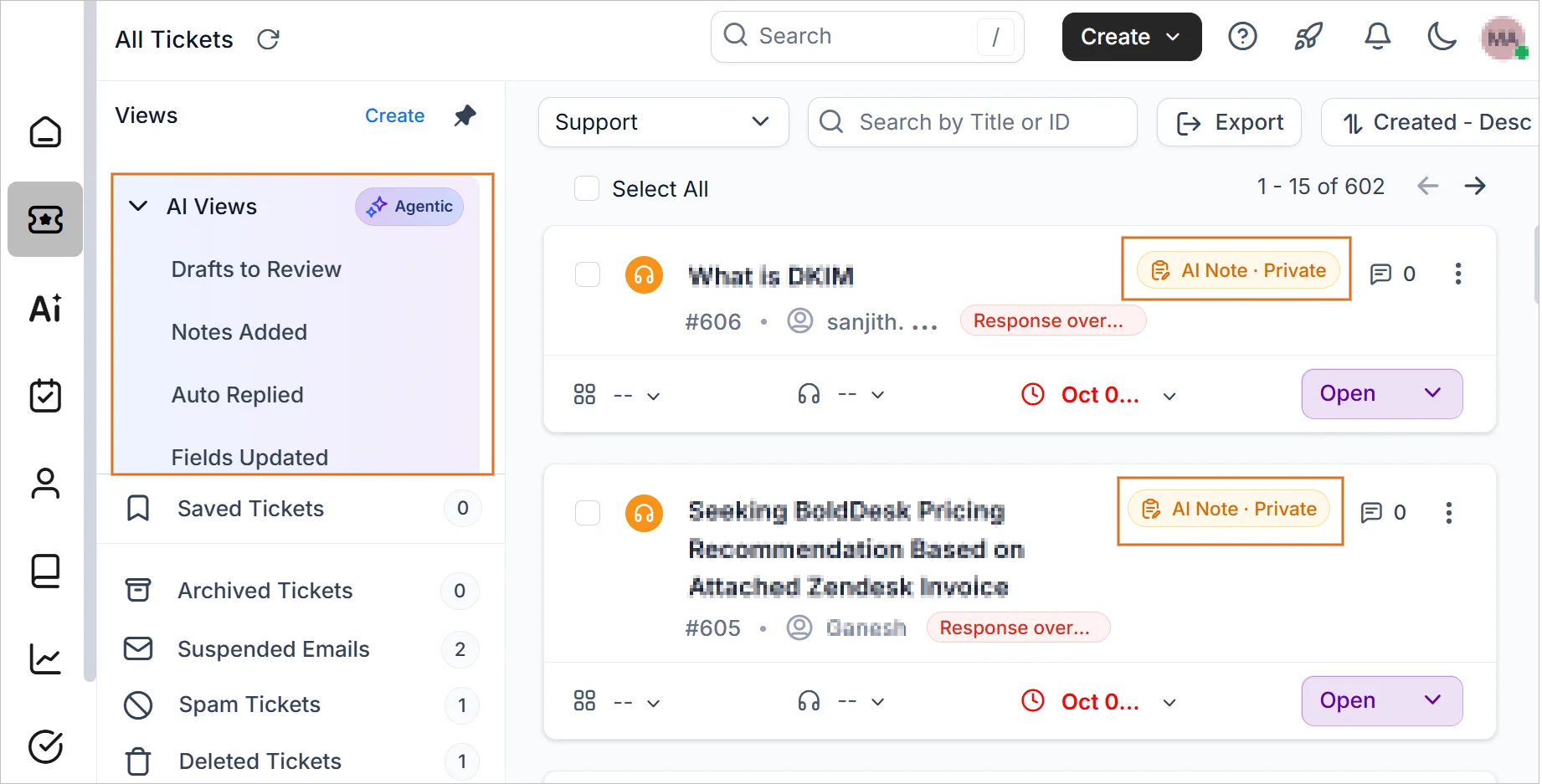
Real-world scenario: Reviewing AI-generated work before responding to customers
Challenge: A team using AI across hundreds of tickets needs a quick way to identify drafts awaiting review and understand what actions AI has already taken.
BoldDesk solution: AI Views automatically group tickets by AI activity, while AI state indicators highlight the most recent AI action directly within the ticket list.
Impact: Agents can prioritize reviews faster, stay informed about AI-assisted work, and focus on the tickets that need attention most.
Track AI activity with AI trace logs
When an AI response needs a closer look, trace logs show how it was generated. AI trace logs provide detailed insights into AI activity across tickets and chats.
The update includes:
- AI trace dialog: Follow how AI read the query and which libraries, skills, API tools, and MCP tools it drew on.
- Technical insights: Check the agent version, model, and latency, with a timing breakdown for each step in Steps or JSON view.
- Configurable logging: Choose which trace details each AI agent records.
These logs help teams verify AI responses, troubleshoot issues faster, and maintain an audit trail of AI decisions for compliance reviews.
Live chat updates for faster, clearer conversations
Clear communication leads to faster resolutions. These live chat updates help teams gather information more effectively and keep conversations moving forward.
Share files and images effortlessly across live chat and AI agents
Customers can now share multiple files and images in a single message. This capability is available across both live chat and AI agent conversations.
Attachments also give AI agents more context to generate relevant responses. This enhancement helps users:
- Upload multiple files and images in one message.
- Share all relevant information at once.
- Reduce unnecessary back-and-forth communication.
By making it easier to share supporting content upfront, teams can spend less time gathering information and more time resolving issues.
Respond faster with real-time customer typing preview
Customer conversations often move quickly, and having a little extra context can make a big difference.
With customer typing preview, agents can see messages as customers type, helping them prepare and respond more efficiently. Admins can turn the preview on or off in the widget settings.
Integration that connects support and development teams
The October 2026 release connects BoldDesk with GitHub, helping support and development teams coordinate on customer-reported issues without switching applications.
GitHub integration for faster support and development collaboration
With GitHub integration, support agents can turn a ticket into a GitHub issue, connect it to an existing one, and follow development progress, all from inside BoldDesk.
Agents can:
- Open a new GitHub issue from any support ticket.
- Attach an existing GitHub issue to a customer conversation.
- See each issue’s assignee, labels, repository, and status in BoldDesk.
- Pick the right GitHub organization and repository when creating or linking issues.
- Keep tickets and issues in sync automatically with GitHub webhooks.
- Work across multiple repositories and organizations from a single workspace.
Real-world scenario: Keeping customers updated on a reported bug
Challenge: A customer reports a bug, and the support agent has to check with developers repeatedly to share progress updates.
BoldDesk solution: The support agent creates a GitHub issue from the ticket. Its status, assignee, and labels stay visible in BoldDesk and update through webhooks.
Impact: Agents share accurate updates without leaving the ticket, and developers get the customer context they need.
Omnichannel flexibility with multiple Twilio accounts
As communication needs grow, organizations need support tools that adapt to different teams, channels, and workflows.
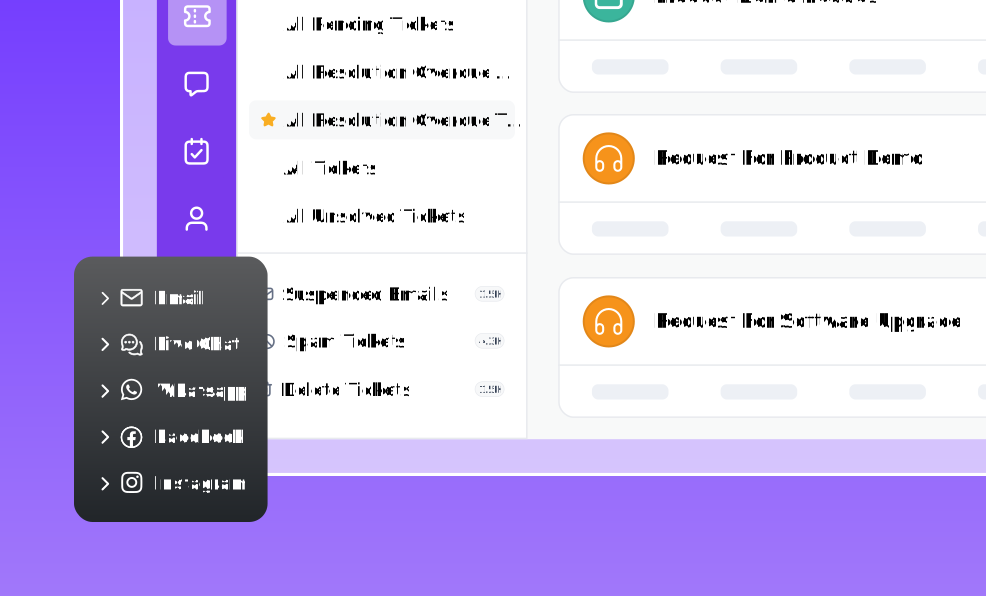
Multiple Twilio account support for WhatsApp and SMS
Managing customer conversations often requires different communication channels, teams, or business units.
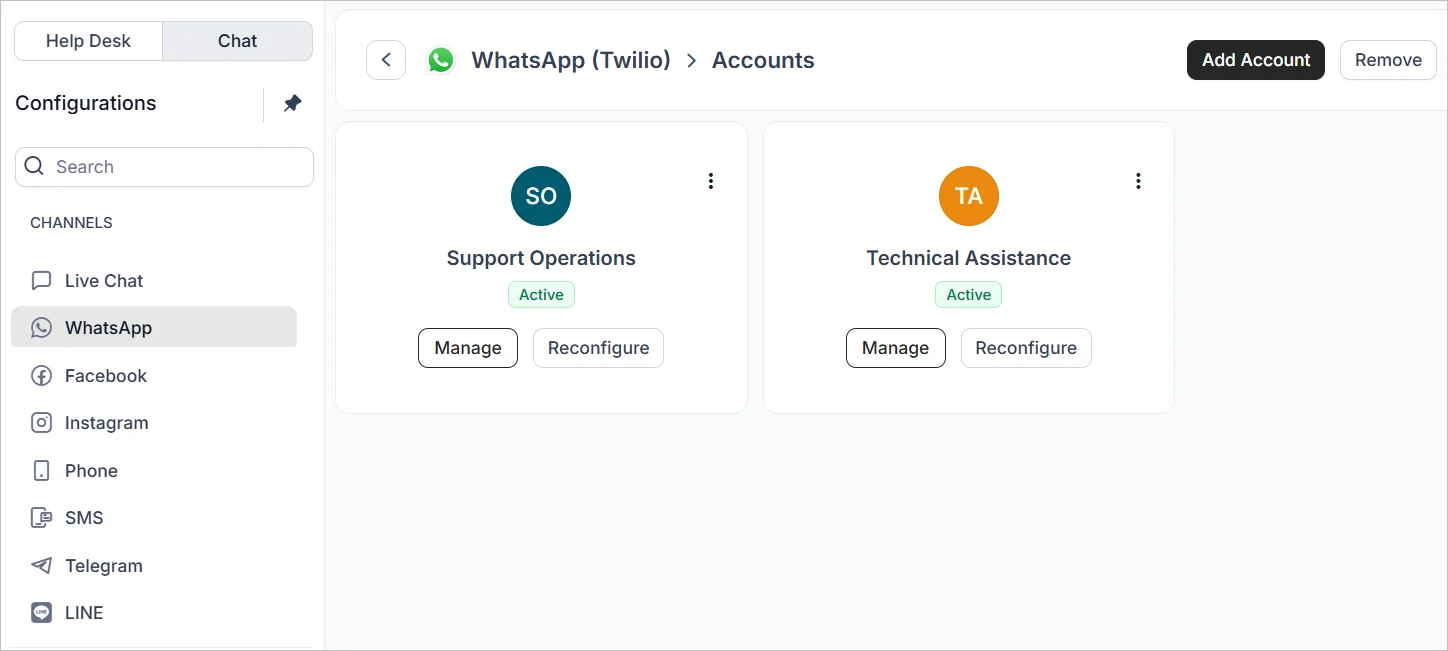
Organizations can now manage WhatsApp and SMS communications across multiple Twilio accounts from a single environment.
The update provides:
- Separate onboarding and management for each Twilio account.
- One place to configure all Twilio integrations through Admin Configuration.
- The choice of which configured Twilio integration to use for customer communications.
This helps organizations support different business needs while keeping message delivery scalable.
Mobile app updates for managing tickets on the go
Whether working remotely, traveling, or away from the office, agents need access to the tools that keep support moving.
This mobile help desk update adds more control over ticket management.
Snooze tickets and stay focused on priority work
Snooze ticket is now available in the BoldDesk mobile app. Agents can pause a ticket for a selected duration when it doesn’t need immediate action.
Once the snooze time is up, the ticket reactivates on its own and returns to normal processing, with SLA tracking and automations running again.
Snooze is ideal for:
- Customer follow-ups
- Pending customer confirmations
- Scheduled callbacks
- Tickets waiting on external updates
Agents can temporarily set aside non-urgent tickets while ensuring they return for follow-up at the right time.
See what’s coming next for BoldDesk
We’re always working on new ways to help teams streamline support operations, improve collaboration, and get more value from BoldDesk.
As we continue to expand the platform, several capabilities are planned or in progress, such as:
- Message reactions in chat
- Requester activity timeline
- Native voice channel (contact center)
- Import/Export holiday calendar
- PCI DSS compliance
- FedRAMP authorization
- Reply to specific messages in chat
- Prebuilt ticket automation templates
- Out of office configuration
Want a sneak peek at what’s ahead? Explore our product roadmap to see upcoming features and planned enhancements.
Improve support efficiency with BoldDesk’s latest updates
The BoldDesk October 2026 release lets AI work with files, collaborate with other agents, run inside workflows, and assist teams from Microsoft Teams and Slack.
Just as importantly, it gives teams better visibility into how AI works, helping them automate with confidence.
Ready to explore the latest BoldDesk capabilities? Start your 15-day free trial and see how these updates can improve your support operations.
Related articles


