


TL;DR: When WhatsApp conversations scale, they become structurally unmanageable—leading to missed leads, delayed replies, and mixed sales and support chats. A WhatsApp AI agent enforces the structure WhatsApp lacks, using instant responses, intelligent routing, and automated follow‑ups.
Struggling to manage WhatsApp sales and support conversations at scale? Missed leads, delayed replies, mixed sales and support chats, and forgotten follow‑ups are common as message volume grows.
A WhatsApp AI agent solves this with instant responses, intelligent routing, and automated follow‑ups, keeping every conversation on track.
As WhatsApp becomes a primary channel for customer interactions across the buying and post‑purchase journey, expectations for fast, real‑time responses continue to rise.
Without AI‑driven automation, WhatsApp operations break down as conversation volume exceeds what human teams can control.
In this blog, we explain why WhatsApp cannot be scaled manually and how AI agents become the only viable way to run sales and support on WhatsApp at volume.
Why do businesses struggle to manage sales and support on WhatsApp?
WhatsApp has become a key channel for both sales and customer support, but WhatsApp Business limitations make it impossible to manage conversations reliably at scale without AI.
Messages from prospects and existing customers often land in the same thread, making it hard for support teams to identify intent, segment users, and prioritize responses effectively.
As message volume grows, manual handling quickly breaks down—leading to missed messages, delayed replies, and inconsistent communication across agents.
Additionally, the lack of structured workflows, automation, and real-time visibility limits team collaboration and accountability, making WhatsApp Business increasingly inefficient for growing customer support and sales operations

As a result, businesses find it difficult to deliver fast, organized, and personalized experiences on WhatsApp, resulting in challenges such as:
Sales challenges businesses face when using WhatsApp
Businesses that rely on WhatsApp as a sales channel often face operational inefficiencies caused by unstructured interactions, high message volumes, and limited visibility into customer intent.
These limitations prevent sales teams from reliably managing conversations, prioritizing opportunities, or maintaining timely engagement as volume increases.
Unstructured sales conversations
WhatsApp sales inquiries are continuous and conversational, without a defined beginning or end.
Customers frequently discuss pricing, product features, negotiations, and follow‑ups within the same chat thread.
This lack of conversational structure prevents sales teams from reliably segmenting discussions at scale.
It also hinders their ability to identify the current stage of the buying process.
As a result, teams lose context continuously and respond late or inaccurately as conversations scale.
No intent detection or priority-based message routing
WhatsApp treats all incoming messages equally, regardless of urgency or purchase intent.
High‑intent inquiries, such as pricing requests or purchase confirmations, appear alongside low‑priority messages like general questions or casual follow‑ups.
Without intent detection or automated prioritization, sales teams risk delaying critical responses, negatively impacting conversion rates and customer trust.
Missed or delayed follow‑ups in sales inquiries
When a sales conversation goes idle, follow‑ups depend heavily on manual tracking and individual memory.
Without AI‑enforced follow‑ups and visibility, sales teams inevitably miss commitments as conversation volume grows.
Missed or delayed re‑engagement can result in lost sales opportunities and reduced customer confidence in the business’s responsiveness and reliability.
Managing localized language sales inquiries
Sales inquiries on WhatsApp may arrive in multiple languages, particularly for businesses operating across regions or international markets.
Differences in language structure, terminology, and expression make accurate message interpretation difficult when handled manually.
Without native language detection and real‑time translation, sales teams may face difficulties assigning conversations appropriately or providing precise responses.
This makes consistent multilingual sales execution impossible without AI‑driven language detection and translation.
Support challenges businesses face on WhatsApp
WhatsApp conversations are inherently unstructured, making large‑scale support operations unsustainable without AI.
Multiple customer intents, such as order queries, complaints, and follow-ups, often appear within a single thread.
Without ticketing logic, conversation routing, or prioritization layers, support teams struggle to maintain context.
They also find it difficult to respond efficiently. As a result, meeting real‑time and 24/7 support expectations becomes operationally impossible with manual workflows.
High conversation volume with limited agent bandwidth
As businesses grow, WhatsApp quickly becomes a high-volume support channel. A limited number of agents are expected to handle a wide range of queries, including transactional, technical, and service-related requests.
Without AI‑driven automation, prioritization, and load balancing, high‑volume WhatsApp support collapses under pressure.
Urgent WhatsApp support issues are not prioritized
Critical support requests appear alongside routine customer questions, which can confuse support agents. Without proper prioritization, urgent issues are delayed, increasing resolution times and negatively impacting the support experience.
Inability to meet real-time and 24/7 support expectations
Customers treat WhatsApp as a real-time communication channel and expect near-instant responses, regardless of business hours.
According to Emplifi, 52% of customers expect brands to reply to customer inquiries within one hour.
However, manual support operations cannot scale to provide round-the-clock availability. As conversation volumes increase, maintaining consistent response times becomes operationally challenging without automation or asynchronous handling strategies.
Repetitive data collection due to lack of customer context
WhatsApp conversations are session-based and do not inherently provide unified customer history or context across interactions.
As a result, agents frequently ask customers to repeat information such as order IDs, account details, or previous issues.
This not only slows down resolution but also creates a fragmented and frustrating customer experience.
Limited insights into support agent performance
WhatsApp provides minimal insights into agent activity, including response progress, resolution times, and support outcomes.
Without actionable insights, teams struggle to identify gaps, improve service quality, reduce resolution times, and build long‑term customer trust.
At scale, WhatsApp does not fail due to lack of effort, it fails because unstructured conversations cannot be managed by humans or rule‑based systems.
AI agents are not an optimization layer. They are the control layer WhatsApp never had.
That’s why many growing businesses are turning to WhatsApp AI agents and WhatsApp Business AI solutions as part of an omnichannel customer service approach.
How AI agents fix WhatsApp sales chaos at scale
As conversation volume grows, what starts as a fast, conversational channel quickly turns into chaos. Pricing and demo requests get buried, sales and support messages overlap, and follow‑ups depend on memory instead of systems.
At high message volumes, WhatsApp sales conversations cannot be managed manually. WhatsApp AI agents replace human triage entirely, enforcing speed, prioritization, and structure once WhatsApp scales beyond human control.
Without AI, leads are inevitably missed as message volume increases. AI agents prevent this by instantly engaging leads, qualifying intent in real time, and handling pricing or product questions at scale.

AI agents enforce clean hand‑offs and follow‑ups automatically, removing reliance on individual memory and manual tracking.
This is the only way to maintain deal momentum at scale. and move prospects through the funnel faster.
Below are the system‑level mechanisms WhatsApp AI agents use to fix sales chaos and make WhatsApp scalable.
Structuring WhatsApp sales conversations using AI
AI‑powered WhatsApp agents bring order, intelligence, and continuity to sales conversations that are typically informal and fragmented.
By analyzing incoming messages in real time, these agents identify buyer intent, categorize conversations into structured stages, and surface priority opportunities.
This eliminates manual prioritization entirely, ensuring high‑intent sales conversations are never buried as volume scales.
Here is the AI agent workflow for achieving the above process:

Prioritize what matters most
When a prospect asks about pricing, demos, timelines, procurement, or security, your team can immediately set the ticket priority (e.g., High/Urgent).
This prioritization enables sales teams to concentrate on prospects with the highest likelihood of conversion.
As a result, serious inquiries receive prompt, well‑informed responses at the most critical point in the buying journey.
Real-life example: Prioritize what matters most
A SaaS company receives a chat message: “What’s your pricing for 50 agents? Do you offer a free trial? How long is implementation, and are you SOC 2 compliant?”
The AI detects ticket priority, pricing, trial, timeline, and compliance, and instantly:
- Marks the conversation as high priority
- Routes it to a senior sales rep
- Provides context and suggested responses
The rep responds within minutes with tailored details and a demo link, while AI handles lower-intent queries.
Outcome:
The prospect quickly books a demo, increasing conversion chances.
Preventing missed sales follow‑ups with AI
Sales momentum often breaks when conversations stall, ownership changes, or next steps are forgotten.
WhatsApp AI agents prevent this by actively monitoring follow‑up commitments made during sales interactions.
Instead of relying on manual notes or memory, the AI logs agreed next actions, such as sending proposals, sharing documents, scheduling demos, or calling back and tracks their completion status.
The system ensures execution consistency by:
- Recording promised next steps the moment they’re mentioned
- Flagging unattended or overdue follow‑ups automatically
- Retaining action history when conversations are paused or reassigned
With every commitment visible and traceable, sales teams maintain clear ownership and execution discipline.
Any rep can take over with confidence, follow‑ups don’t fall through the cracks, and buyers experience a smooth, dependable sales journey,without repeating requests or chasing responses.
Driving upselling and cross‑selling in sales conversations
WhatsApp AI agents analyze live sales conversations to understand context and buying intent.
Based on pricing discussions, feature queries, or comparison requests, the AI recommends relevant upgrades, add‑ons, or complementary offerings.
These suggestions appear at key decision points, helping sales teams increase deal value while keeping conversations smooth, consistent, and conversion‑focused.
Handling multilingual sales inquiries with AI agent
WhatsApp AI agents automatically detect the language of incoming sales messages and translate them in real time while preserving the original conversational context.
This simplifies sales teams to understand customer intent accurately, regardless of the language used.
The AI maintains conversation continuity by mapping translated messages to the correct sales stage and routing them to the appropriate salesperson or team.
Responses can be generated or suggested in the customer’s preferred language, ensuring clear, consistent, and timely communication across regions.
This eliminates language barriers, reduces response delays, and allows sales teams to scale multilingual engagement without relying on limited language‑specific resources.
Real‑life example:
A global SaaS company receives a WhatsApp message in Spanish. The AI agent instantly detects the language, translates it for the sales team, and identifies the intent, pricing and demo request.
It then:
- Maps the conversation to the evaluation stage
- Routes it to the appropriate regional sales rep
- Suggests a response in Spanish with pricing details and a demo link
The sales rep reviews and sends the reply within minutes—without needing to know Spanish.
Outcome:
The prospect gets a fast, clear response in their own language, leading to a quicker demo booking and improved global conversion rates.
How AI agents make WhatsApp support scalable
Customer expectations on messaging platforms like WhatsApp are higher than ever. Customers expect quick, accurate, and personalized responses, without long wait times or support queues.

According to Gartner, Agentic AI is expected to handle the majority of customer service issues on its own, helping businesses cut customer support costs by around 30%.
WhatsApp AI becomes mandatory because support teams cannot meet response‑time expectations once conversation volume grows.
By automating common inquiries, AI reduces the manual workload on support teams.
By accurately interpreting customer intent and providing real‑time assistance, it enables businesses to deliver faster and more consistent customer support experiences.
Below are the key ways WhatsApp AI agents help support teams deliver reliable, high-quality customer service.
Organizing support requests with full context
WhatsApp virtual assistances automatically identify and categorize different types of customer support requests while preserving complete conversational context.
Multiple issues raised by a single customer such as delivery delays, billing concerns, or product defects are detected and structured accordingly.
This contextual organization enables fewer support agents to handle higher volumes efficiently, resolve issues faster, and ensure no customer request is overlooked.
Real‑life example:
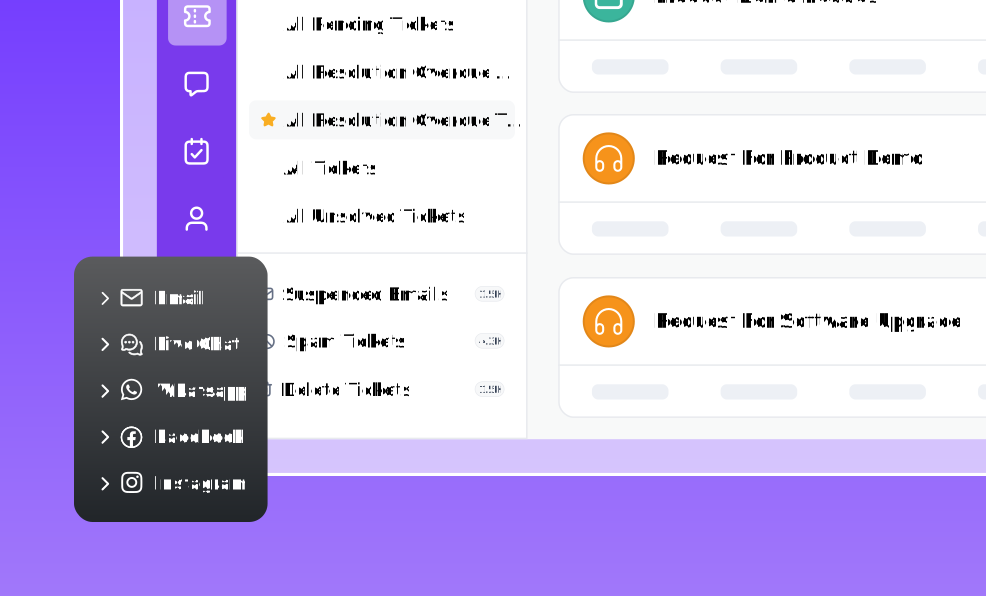
A customer contacts support by email reporting a login issue after a recent update. Minutes later, they reach out again via live chat asking for urgent help.
The AI agent immediately connects both interactions, identifies the shared context, and understands the issue—login failure after an update.
It then:
- Links the email and chat conversations into a single support ticket
- Classifies the issue as a post‑update login problem
- Routes the request to the appropriate support team with full background details
The support agent reviews the consolidated case and resolves the issue quickly—without asking the customer to repeat information.
Outcome:
The customer receives a swift resolution without repeating themselves, resulting in faster issue closure, reduced support effort, and a smoother, more satisfying support experience.
Automatically prioritizing urgent support issues
AI agents analyze message content, intent, tone, and sentiment to detect urgency or criticality in support conversations.
Issues indicating service disruption, dissatisfaction, or time sensitivity are automatically marked as high priority.
High‑priority cases are surfaced immediately for agent attention, ensuring rapid response to critical customer issues.
This reduces response delays, prevents unnecessary escalations, improves customer satisfaction, and helps teams manage workload sustainably and avoid customer service burnout.
Here is the AI agent workflow for achieving the above process:
Instant answers to common support questions
To help teams stay in control of support operations, WhatsApp AI agents provide continuous, real‑time visibility into customer support activity.
They track active conversations, unresolved issues, SLA compliance, and response progress across WhatsApp channels.
This data is automatically consolidated to give managers a clear view of team workload, response efficiency, and emerging bottlenecks.
AI agents support operational oversight by:
- Monitoring active and pending support conversations in real time
- Highlighting SLA risks and delayed responses
- Surfacing workload imbalances across support teams
With actionable insights available at all times, managers can reassign conversations, optimize staffing, and resolve issues before delays escalate, ensuring consistent, reliable support delivery at scale.
Delivering reliable 24/7 customer support
AI agents work around the clock, providing round‑the‑clock assistance regardless of business hours.
Customers receive timely responses whenever they reach out on WhatsApp, even during nights, weekends, or holidays.
This helps businesses to meet customer response expectations without overburdening support teams or expanding operating hours.
Real‑time visibility into support performance
To give teams better operational control, WhatsApp AI agents deliver continuous visibility into live support activity across customer conversations.
AI agents enable effective oversight by:
- Tracking ongoing and outstanding support conversations in real time
- Flagging SLA risks and response delays at an early stage
- Revealing workload imbalances across support teams
With real‑time, actionable insights, managers can quickly redistribute conversations and fine‑tune staffing levels.
This helps teams address delays before they escalate and ensures dependable, high‑quality support delivery at scale.
Best practices for setting up a WhatsApp AI agent
A productive WhatsApp AI agent keeps conversations fast, clear, and genuinely helpful, without overwhelming customers or overusing automation.
According to a Salesforce report, 72% of customers say it’s important to know when they’re communicating with an AI agent.
The goal is to resolve issues efficiently while ensuring users always feel supported and in control.
Use the following best practices to configure your WhatsApp AI agent for consistent, high‑quality customer support with seamless human handoff when needed.
Set clear expectations with customers
Always inform customers at the start that they are interacting with an virtual assistance.
Clearly outline what the AI agent can assist with, such as order tracking, basic troubleshooting, or frequently asked questions.
It is equally important to explain how customers can connect with a human agent if their request requires personal attention.
Clear expectations help build trust, reduce confusion, and prevent frustration when the AI agent reaches its functional limits.
Keep WhatsApp AI responses short and clear
WhatsApp is a mobile‑first communication channel, so responses should be concise and easy to read.
Limit replies to one or two short paragraphs, and use bullet points or numbered steps when providing instructions.
Ask only one question per message to keep the conversation focused, minimize customer effort, and speed up responses, allowing the AI agent to move conversations forward efficiently.
Offer human handoff early in conversations
Customers should never feel restricted by automation. Provide a clear and simple option to reach a human agent early in the conversation, such as typing “AGENT” or selecting a handoff option.
Escalate the conversation to a human agent immediately when:
- The issue becomes complex or emotionally sensitive
- The customer repeats the same request multiple times
- The AI agent cannot resolve the issue after several attempts
Early escalation improves customer satisfaction and prevents unnecessary friction.
Confirm customer intent before taking action
Before taking any action or sharing multi‑step instructions, the AI agent should briefly restate key details, such as order ID, issue category, or requested outcome, and ask the customer to confirm.
This confirmation step ensures the AI proceeds using accurate information before continuing with resolution actions or updates.
Avoid over‑messaging customers on WhatsApp
The AI agent should combine related information into a single, clearly structured message using short paragraphs or bullet points.
Sending multiple messages in quick succession can overwhelm customers, increase notification noise, and cause important details to be missed.
Clear, consolidated messaging improves readability, reduces response delays, and delivers a more seamless customer support experience.
Common mistakes to avoid when using a WhatsApp AI agent
Even a well‑designed WhatsApp AI agent can fall short if it’s not set up with the right approach and configuration.
Avoid these common mistakes to ensure your AI agent improves support efficiency without hurting the customer service experience.
- Trying to automate everything on day one: Over‑automation leads to poor experiences. Start with simple, high‑volume issues and expand gradually.
- No clear owner for chats: Without ownership, escalations stall and follow‑ups get missed. Always assign responsibility for AI‑handled and escalated conversations.
- Asking too many questions at once: Long or multi‑question messages overwhelm users. Ask one question at a time to keep conversations flowing.
- No easy way to reach a human: If customers can’t quickly reach a human, they lose trust. Always offer a visible and simple handoff option.
- Not reviewing AI mistakes: Ignoring failed or escalated chats prevents improvement. Regular reviews help refine responses and routing.
Faster Sales and Support Conversations with WhatsApp AI
WhatsApp is no longer just a messaging tool—it’s a critical sales and customer support channel.
But without structure, prioritization, and visibility, it becomes impossible to manage at scale.
A WhatsApp AI agent becomes essential once WhatsApp volume increases, preventing missed leads, broken SLAs, and operational chaos.
By automating routine tasks, agents focus on high‑value sales conversations and complex support cases, while managers gain clearer visibility into performance.
BoldDesk’s AI‑powered help desk provides the control layer required to operate WhatsApp sales and support at scale.
Start a free trial to see how a WhatsApp AI agent simplifies sales and support, or explore pricing plans to grow with confidence.
Related articles
- 12 Best WhatsApp Chatbots for Smarter Customer Conversations
- WhatsApp Business vs WhatsApp Business API for Support: Key Differences
- Why WhatsApp Business Limitations Prevent Support Teams from Scaling
Frequently asked questions
Yes. A WhatsApp AI agent detects customer intent and manages both sales and support conversations, routing each request to the right workflow or team for faster resolution.
The AI tracks every conversation and sends automatic follow‑ups when chats stall, ensuring no sales inquiry or support request is forgotten.
Yes. Clear disclosure helps set expectations and builds trust, while still giving customers an easy option to speak with a human agent.
The AI should escalate when issues become complex, emotional, or can’t be resolved after a few attempts, ensuring customers get timely human support.
By structuring conversations and tracking outcomes, the AI provides insights into response times, issue trends, and conversions, helping teams improve performance at scale.