

Background AI Agent
The Background AI Agent That Investigates Every Ticket Before Your Team Does
BoldDesk's background agent analyzes each ticket your assignment rules send it, identifies likely causes, evaluates customer sentiment, and records its findings in a private note for agents. It never writes to the customer. Flat published AI rates, never per-resolution fees.
- No credit card required
- 15-day free trial
- Cancel anytime
Trusted by Companies of all Sizes

Backed by Syncfusion
41K+
Companies worldwide
25+
Years in business
80%
of the Fortune 500 use Syncfusion software
3M+
Tickets Migrated
Free
Migration & Onboarding
SOC 2, GDPR & HIPAA
Compliant · HIPAA with BAA
99.9%
Uptime SLA
Why teams turn it on
Your Team Opens the Ticket With the Investigation Done
The background agent does the investigation, so your people start from conclusions instead of a long thread.
Context before the first reply
Agents see the likely cause and the key details on the ticket instead of re-reading the whole thread.
Better Support Agent replies
When the Support Agent runs on the same ticket, it can use the findings before it writes.
Attachments included
Screenshots, invoices and documents attached to the ticket are part of the analysis.
Keeps up with the conversation
It can run again as new replies arrive, so the note reflects the latest state of the ticket.
Leaves human routing alone
Assignment rules add the AI agent to a ticket without changing how tickets are routed or assigned to people.
Every run on the record
The AI Agent tab in ticket details lists what the background agent added and when.
One ticket, three agents
Background, Support and Assist Agents: Who Does What
Each agent type has one job. A single AI Agent Assignment rule can assign any combination of them to the tickets it matches.
Background Agent
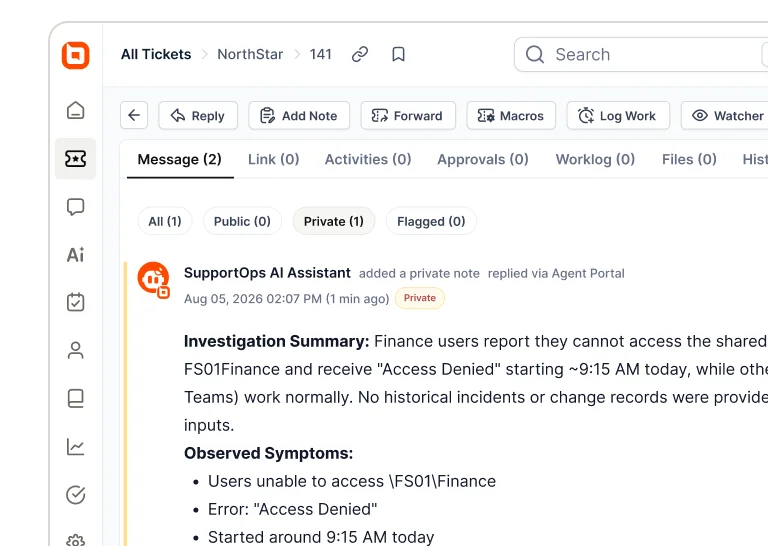
Investigates the ticket and leaves a private note in the layout you set, such as a summary, likely cause and next step. Never writes to the customer.
Support Agent
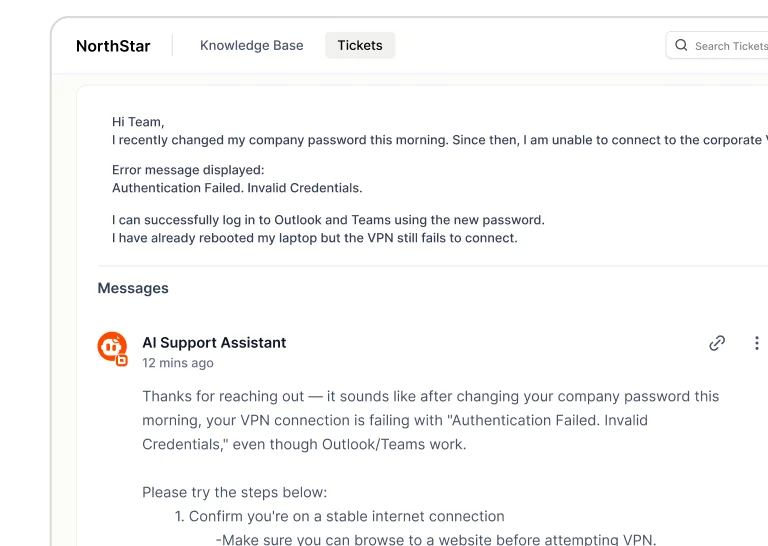
Replies to the customer, posts a public or private note, or saves a draft for review.
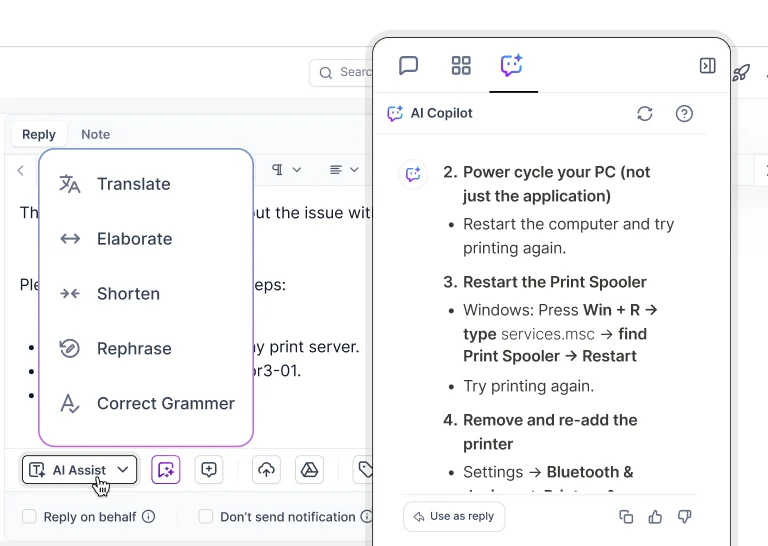
A ticket holds one agent of each type. A rule only fills an empty slot, so it never replaces an agent that is already assigned, including one an admin changed by hand.
What it's for
Put the Background Agent to Work on the Jobs Nobody Has Time For
What it produces depends on the instructions, knowledge sources, and tools you give it. These are some of the most common jobs teams assign first.
Root-cause analysis
Works out the probable cause from the ticket, your knowledge sources and connected tools.
Sentiment and escalation risk
Highlights customer sentiment and potential escalation risks in the note, so your team can respond appropriately.
Ticket classification
Suggests the category, product area or issue type, so triage stays consistent across the team.
Escalation briefings
Writes the note for the next tier: what has been tried, what is left and the likely cause.
Information extraction
Extracts key information such as order IDs, account numbers, error codes, and other important details from the conversation.
Missing-information checks
Lists what is still needed before another AI agent or workflow can act on the ticket.
- From insight to action
Turn What It Finds Into Ticket Updates
Pair it with AI trigger orchestration. An AI agent analyzes the ticket context you choose, its output updates supported fields such as category and priority, and the reasoning stays in a private note. Start with one queue, review the notes, then widen the rule.
How it works
Set Up a Background Agent in Four Steps
No model training and no separate AI platform to connect.
Create the agent
Name it and write its instructions: what to look for and what the note should cover.
Add knowledge and tools
Connect your knowledge base, files, Q&A and web pages, plus REST APIs or MCP servers it can query.
Assign it by rule
In Admin › AI Automation › AI Agent Assignment, set the conditions and pick the events: Tickets Created, Customer Reply Added, Agent Reply Added.
Review and refine
Check the notes on real tickets, tighten the instructions, then widen the rule.
- No credit card required
Security & Compliance
Enterprise-Grade Security and Compliance
Findings stay inside your help desk as private notes, under the same access controls as the rest of the ticket. The agent holds only the API keys and scopes you grant.
- SOC 2 Type 2 report & GDPR compliant
- AES-256 encrypted infrastructure
- SSO and IP restrictions
- Role-based access control and audit logs
- HIPAA compliance with a signed BAA
- Secure cloud architecture
Don't Take Our Word For It
Support teams running BoldDesk, in their own words.
-
"BoldDesk is easily configurable, highly intuitive, and has many features one would only expect to have in higher priced products."
 John S Head of Customer Support Ethos Beauty Partners
 -
"The overall application functionality is good, UI/UX and the configurations including automations all the other services are constantly working fine."
Harsha R Support Team Lead LTIMindtree -
"BoldDesk has everything you could imagine in a customer service platform, including many features like APIs that we are yet to explore fully."
Carlos R VP of Operations Movisis Tecnologia Limited -
“BoldDesk provided an all-in-one solution that saves time and reduces redundancy, improving the user experience and shortening ticketing time by 50%.”
 Amy Syncfusion
 -
“Almost overnight, a problem that I've been fighting with every other day went away.”
 Mike Omiccioli Apexa iQ
 -
“I didn't know BoldDesk one year ago, and I have discovered a very good solution. Easy to integrate. The API is very well documented”
 Luc Fombonne ioteecs
The rest of the AI platform
Pair the Background Agent With the Rest of BoldDesk AI
Build the agent, give it tools and skills, and see BoldDesk AI on real cases — all on the same flat published AI rates.
Create, test and publish the AI agents you assign to tickets, without code.
Watch real support cases handled by BoldDesk AI, from the first message to the hand-over.
Connect APIs, MCP servers, and business tools to automate real-world tasks.
Create reusable instructions and actions that AI agents can use to complete tasks consistently.
Frequently Asked Questions
What is a background AI agent?
A background AI agent is an AI agent that analyzes support tickets without communicating with the customer. In BoldDesk, it investigates the tickets an AI Agent Assignment rule sends it and adds its findings, such as the probable cause, sentiment and key details, to the ticket as a private note that only agents can see.
What do you need before setting up a background agent?
BoldDesk AI features turned on, AI credits, at least one published AI agent with the instructions, knowledge sources and tools the analysis needs, and permission to manage AI Agent Assignment rules. Creating agents also needs AI Builder access.
Which AI models power the background agent?
BoldDesk AI agents run on large language models such as Gemini and Azure OpenAI, combined with the knowledge sources and tools you connect to the agent.
How long does an analysis take?
Findings are usually added to the ticket within a few seconds. Longer, more complex analyses run in the background and the note appears when processing finishes, so nobody waits on the ticket.
What happens if an analysis fails?
Ticket handling carries on as normal. The failure is recorded in the activity or audit logs and is not retried automatically. Once the cause is fixed, the next qualifying ticket event runs the analysis again.
What happens when you edit or delete an assignment rule?
When you edit a rule, you choose whether the change applies to future tickets only or to existing and future tickets. Deleting a rule stops future runs, and tickets that already have a background agent keep it.
Does the background agent use AI credits?
Yes. Each analysis is an AI interaction and uses credits from your plan, with no per-resolution fees. Extra credit packs hold 1,000 credits each and never expire.
What happens when AI credits run out?
AI analysis stops until credits are added, through a purchase, auto-purchase or the next monthly allowance. Manual ticket handling and non-AI workflows keep working.
Put a Background Agent Behind Your Queue
Start with one queue and one rule, read what it finds on real tickets, then widen it. If BoldDesk isn't right for you, you get 100% back within 30 days. Free migration and onboarding included.
- No credit card required
- Unlimited Human Agents

- No Per-Resolution Fees
- 30-Day Money-Back Guarantee
- 15-Day Free Trial
- Cancel Anytime